Monday, August 27, 2012


Wednesday, August 1, 2012

Thursday, July 26, 2012

Saturday, July 7, 2012
My Pixel Wonder Woman iPhone Case
So, for a couple of months now I've seen the cross-stitch able cell phone case for iPhone's. It's Cool and I LOVE the idea of designing your own case. I decided I would DIY own iPhone on my own. I went to my Cell Phone provider and brought a clear back case for my iPhone 4, it's not rubbery, a little hard but it' flexible.
Next I need to gather my supplies:

For my project I need:
A pattern (I used a Pixel Wonder Woman Pattern but if you was doing it I say you would do something else as long it’s any small cross stitch pattern) and the appropriate floss colours
I used Aida cloth 14 count but I say you can use 14 count plastic canvas too. But for now I use what I have. Don’t forget to use fray check the edges to keep it from unravelling.
My clear iPhone case:

First thing's first...I started with my pattern, I was going to cut the template out but I figure the Aida cloth would fray on me. You will need to make a template so you know how much plastic canvas/Aida cloth you'll need to cut, lucky for me my template was already in my iPhone case. Excellent!!
.jpg)
Cut our your rough template and pop it into the case just to be sure it fits like I did. It don’t really have to be perfect.

Just lay your template on top of your Aida cloth or whatever you used and cut to size, when you have finished you stitching. Make sure you cut out any notches in the corners and mark and cut any extra holes like for camera…Using a craft knife be very carefully, cut out all the holes that I'd marked. I left myself a little more extra room all the way around just to have some room to play with. I was glad I left a few extra rows because I actually needed them - to use the fray check the edges to keep it from unravelling.
The only thing left to do is see how it fits:

At this point I have the perfect template for my Pixel Wonder woman pattern for my iPhone case. For my first case I worked up Wonder Woman but, the combinations of motifs is practically endless!! I've been thinking of a next one already, maybe a Big Red APPLE, the nice thing about doing your cross-stitch able iPhone case is instead of buying the Connect Design case, you can change out your stitching whenever the impulse hits you - you're not stuck with just one design... and with your stitching behind the clear plastic it'll stay nice and clean. After a quick bit of stitching this is what I ended up with:

Very Cool, isn’t it? It's quick, interchangeable, and protected.
Happy Stitching Everyone!!
Next I need to gather my supplies:

For my project I need:
A pattern (I used a Pixel Wonder Woman Pattern but if you was doing it I say you would do something else as long it’s any small cross stitch pattern) and the appropriate floss colours
I used Aida cloth 14 count but I say you can use 14 count plastic canvas too. But for now I use what I have. Don’t forget to use fray check the edges to keep it from unravelling.
My clear iPhone case:

First thing's first...I started with my pattern, I was going to cut the template out but I figure the Aida cloth would fray on me. You will need to make a template so you know how much plastic canvas/Aida cloth you'll need to cut, lucky for me my template was already in my iPhone case. Excellent!!
.jpg)
Cut our your rough template and pop it into the case just to be sure it fits like I did. It don’t really have to be perfect.

Just lay your template on top of your Aida cloth or whatever you used and cut to size, when you have finished you stitching. Make sure you cut out any notches in the corners and mark and cut any extra holes like for camera…Using a craft knife be very carefully, cut out all the holes that I'd marked. I left myself a little more extra room all the way around just to have some room to play with. I was glad I left a few extra rows because I actually needed them - to use the fray check the edges to keep it from unravelling.
The only thing left to do is see how it fits:

At this point I have the perfect template for my Pixel Wonder woman pattern for my iPhone case. For my first case I worked up Wonder Woman but, the combinations of motifs is practically endless!! I've been thinking of a next one already, maybe a Big Red APPLE, the nice thing about doing your cross-stitch able iPhone case is instead of buying the Connect Design case, you can change out your stitching whenever the impulse hits you - you're not stuck with just one design... and with your stitching behind the clear plastic it'll stay nice and clean. After a quick bit of stitching this is what I ended up with:

Very Cool, isn’t it? It's quick, interchangeable, and protected.
Happy Stitching Everyone!!
Sunday, April 29, 2012
Inspire App
It's not even a year yet and I'm still being blown away by my iPhone. I can't believe what this phone can do. Totally shock, I recently downloaded an App called 'Inspire (Free)' this App is like not other App I seen before. The main feature of this App is Wet Oil Paint, personally I can't use oil paint unless outside. This Inspire App allows amazing blending effects like your really painting with oils. You get three kinds of brushes in different sizes to use on your work of art. This Inspire App isn't a picture editing app that adds an oil painting effect to your pictures. Inspire App has the best color blending capability I have ever seen. This App is great for a beginner, expert or even in between person, I really do think anyone who downloads this Inspire App will enjoy the simplicity and the power this app has to inspire you.


My first try, I did a Ladybug on a leaf. I was totally amazed what this app could do, next I did something different and I thought it would be harder to do. I wasn't sure if I could, I thought this App could have limits but, I was so wrong. This next picture is of a friends dog, I'm not naming any names. But I love this picture of their dog, I thought I would surprise them with this picture I Painted on my iPhone. I really do think this person will love the picture, I just hope they don't get mad at me.


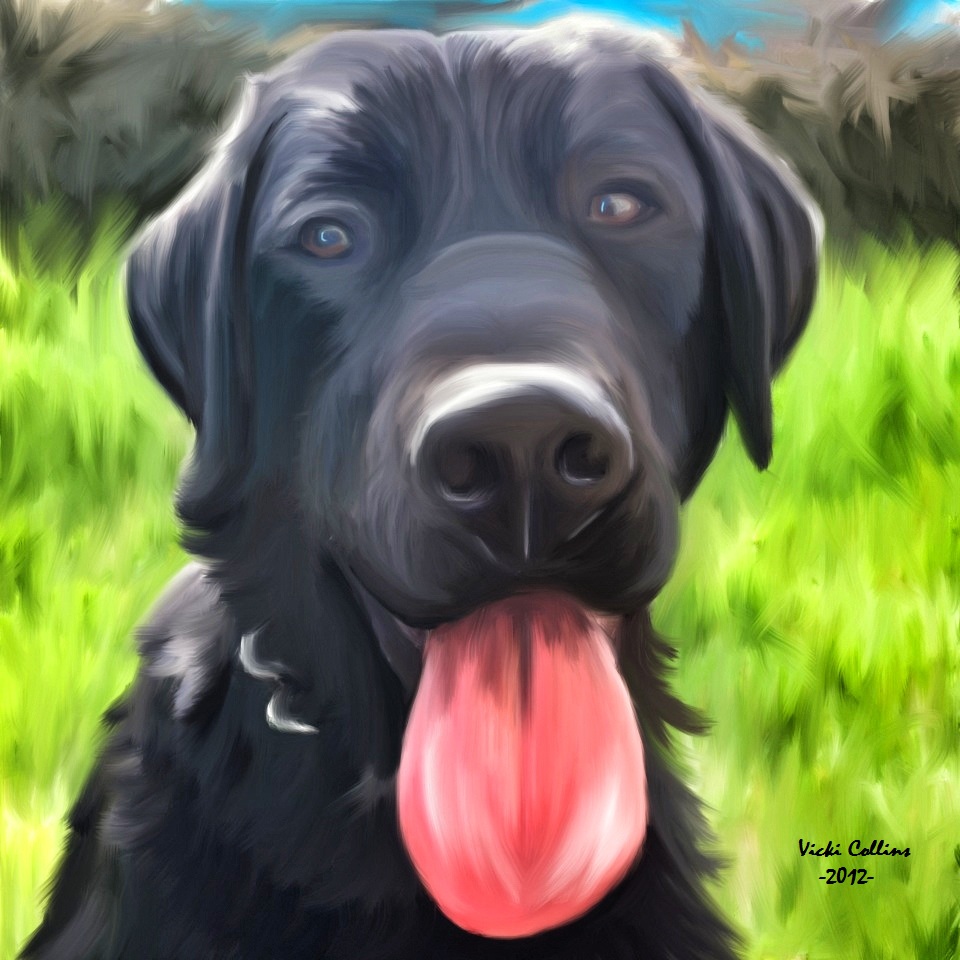
The first picture is the original and I did the next picture on the Inspire App on my iPhone. The last picture I edited and brighten to bring out the colors in the Inspire App. I love them both and I just couldn't choose what one so, I post them both. Now, I just hope the person who owns the dog isn't mad at me for posting their picture. I just had to show case this great app I downloaded and the work I did on it.
Sunday, April 8, 2012
A Very Short Update
I'm sorry...I have been on here to give you updates. I'm writing this post on my iPhone, my computer is in the shop and it could be gone for 4 to 6 weeks. Damn man. I have been thinking I should get myself one of them small laptops, they don't cost too much. Anyone out there give me advice on what I should buy? I don't want to buy anything that is too much money. If I could have what I want I really would go with an Apple Laptop but, I don't have the money for one of them. So now, I don't have a place to back up my iPhone, I did however download the DropBox App...now at least i have somewhere I can put some photo's for save keeping. I also have Evernote but, I use that one mostly for Art Ideas. I think that's all from me now, I may wait a while before I post pictures...don't have a preview option in this app...so I don't know if I should. I may try it and see how one picture looks. Ok. I'm gone now, see you all later.
Subscribe to:
Posts (Atom)